Exit requests
A participant stays in a project, but can withdraw one of its offers. This is called an exit request. An exit is made offer by offer: the other offers of the participant stay in the project.
Either side can start an exit:
- The participant requests the exit of one of its offers.
- The orchestrator proposes the exit of an offer of a participant.
The other side then approves or rejects it.
Request the exit of an offer
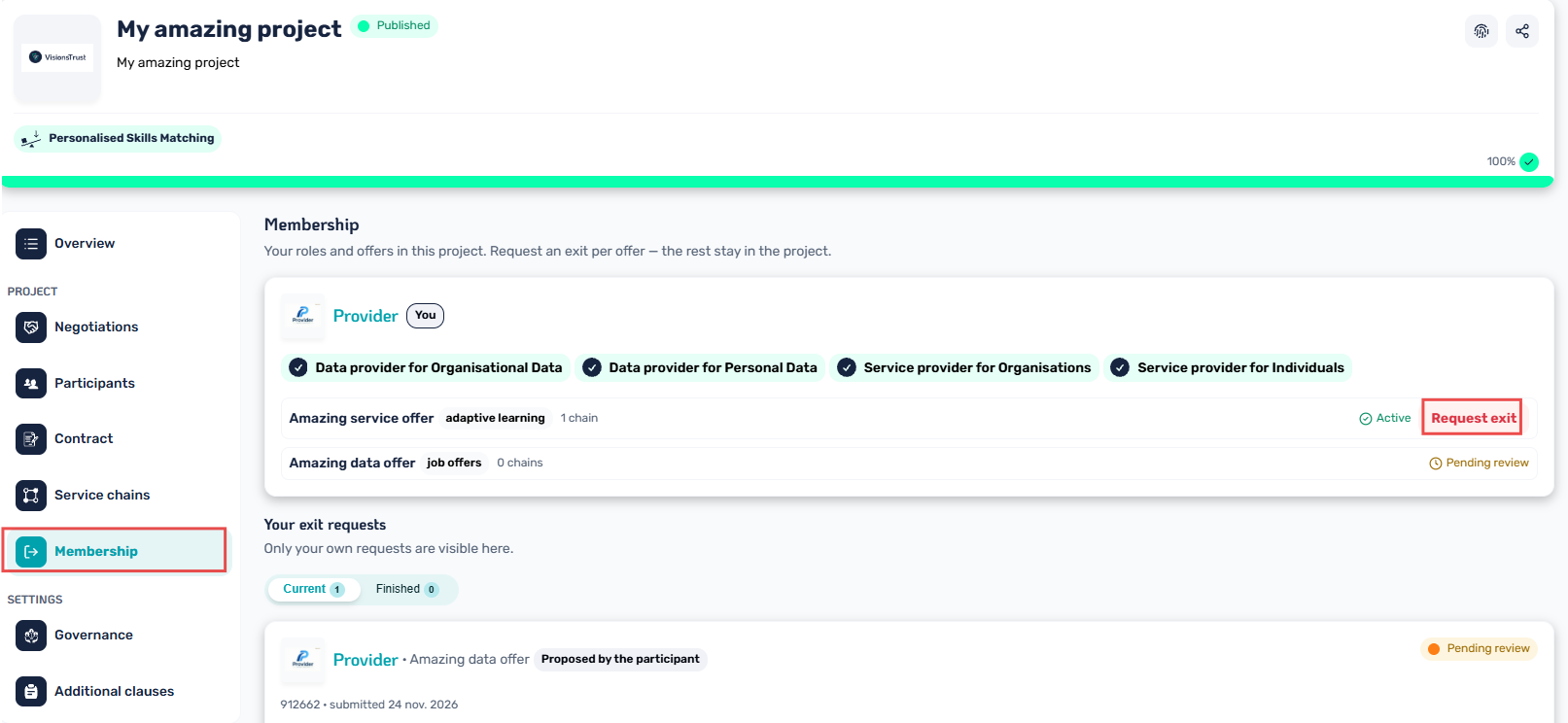
If you are a participant, use the "Membership" page of the project to request the exit of one of your offers and to follow your requests.
- Open the project and click "Membership" in the menu.
- Click the Request exit button next to the offer you want to withdraw.
- In the window, fill in the Reason. The orchestrator sees it.
- Check the Impact on service chains list. It shows each service chain and what happens to it: "Will go back to draft" if the chain uses the offer, "Not affected" if it does not.
- Click the Request exit button. The offer shows "Pending review".
Propose the exit of an offer
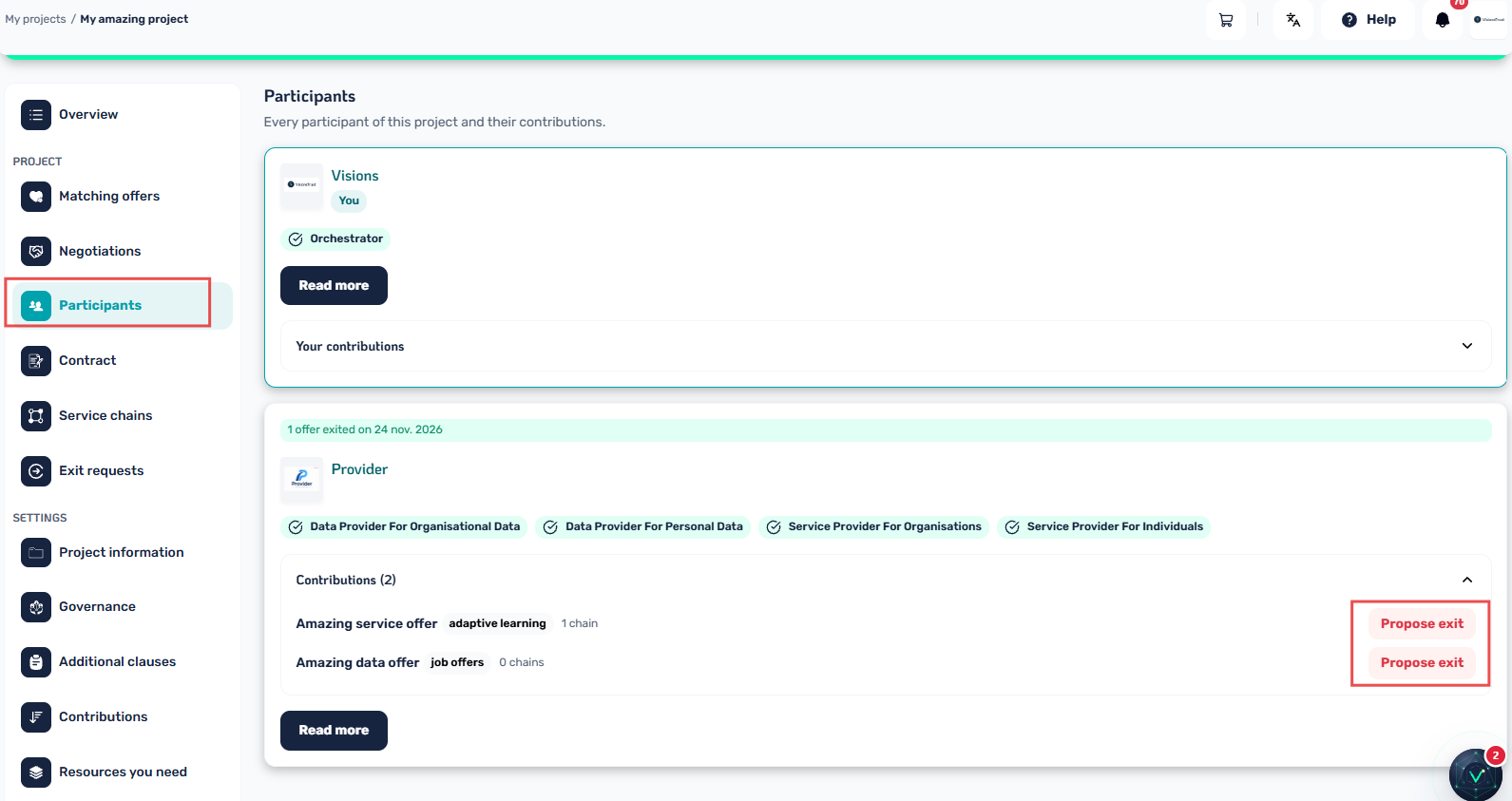
If you are the orchestrator, use the "Participants" page of the project to propose the exit of an offer of a participant.
- Open the project and click "Participants" in the menu.
- Find the participant and click the Propose exit button next to the offer.
- In the window, fill in the Reason. The participant sees it.
- Check the Impact on service chains list. It shows each service chain and what happens to it.
- Click the Request exit button. The offer now shows "Exit requested".
Approve or reject a request
You receive a notification that tells you who requested the exit, which offer and which project. It asks for your response.
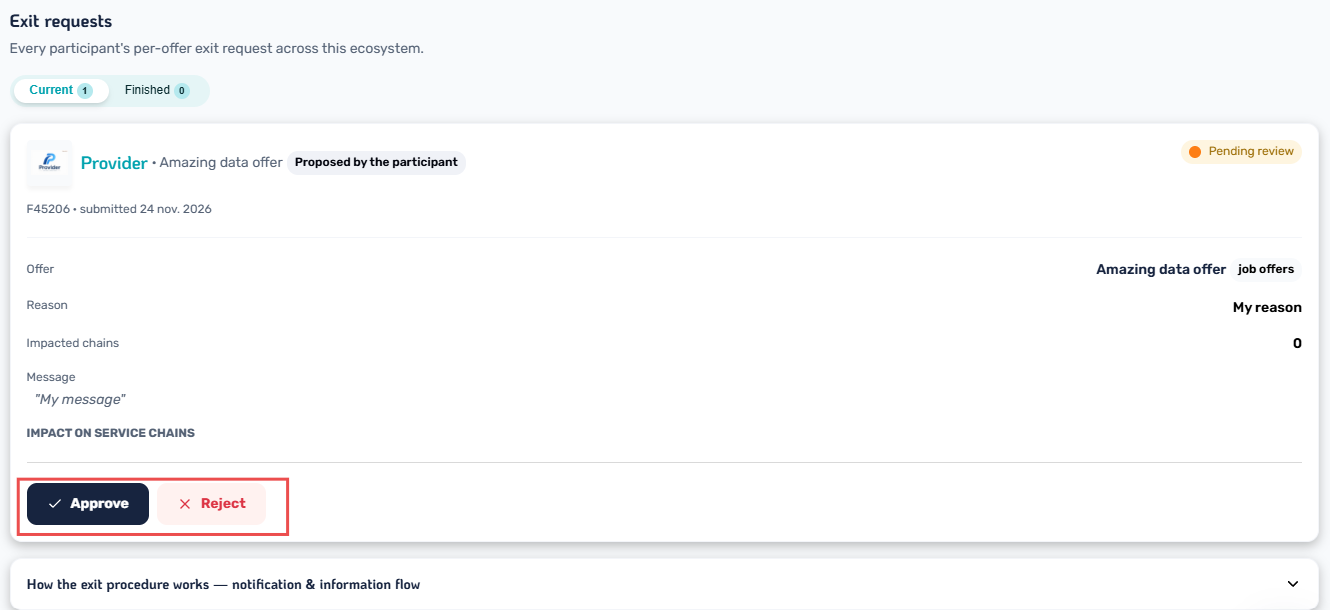
- Orchestrator: open "Exit requests" in the menu of the project. The "Current" tab lists the requests waiting for your answer ("Pending review"). Each card shows the offer, the reason and the impact on each service chain.
- Participant: for a proposal of the orchestrator, open "Membership". The proposal is in "Your exit requests".
Click the Approve button to accept the exit, or the Reject button to refuse it with a reason. The other side sees your reason as "Reason for rejection", apart from the original reason.
After an approval
The exit is effective immediately:
- The offer leaves the project and its contract. It no longer appears in the contract.
- The service chains that used the offer go back to draft, without the offer. They show "Impacted by an exit request": edit them before activating them again.
- The participant stays in the project, even if it has no offer left. If the exit is rejected, nothing changes: the offer stays in the project.
Follow your requests
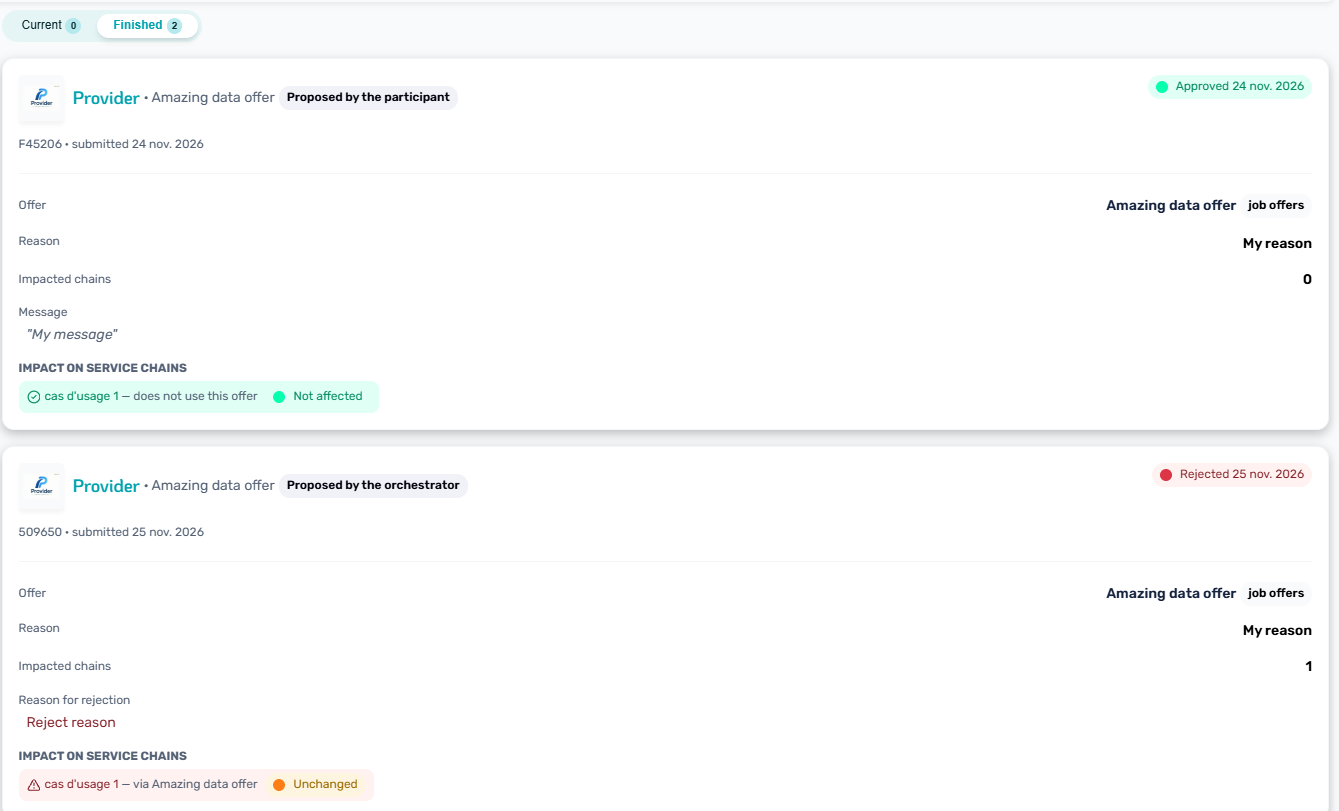
The "Exit requests" page (orchestrator) and the "Membership" page (participant) have two tabs: "Current" and "Finished". A finished request shows its result: "Exited" with the date, or "Rejected".
Bring an offer back
An offer that has exited can come back through a renegotiation, not through the basket: see Restart a negotiation. The offer is listed again in "Add other offers of the participant".