Follow your negotiations
The "Negotiations" page of a project lists every negotiation opened for this project. To open it, go to your project and click "Negotiations" in the menu on the left.
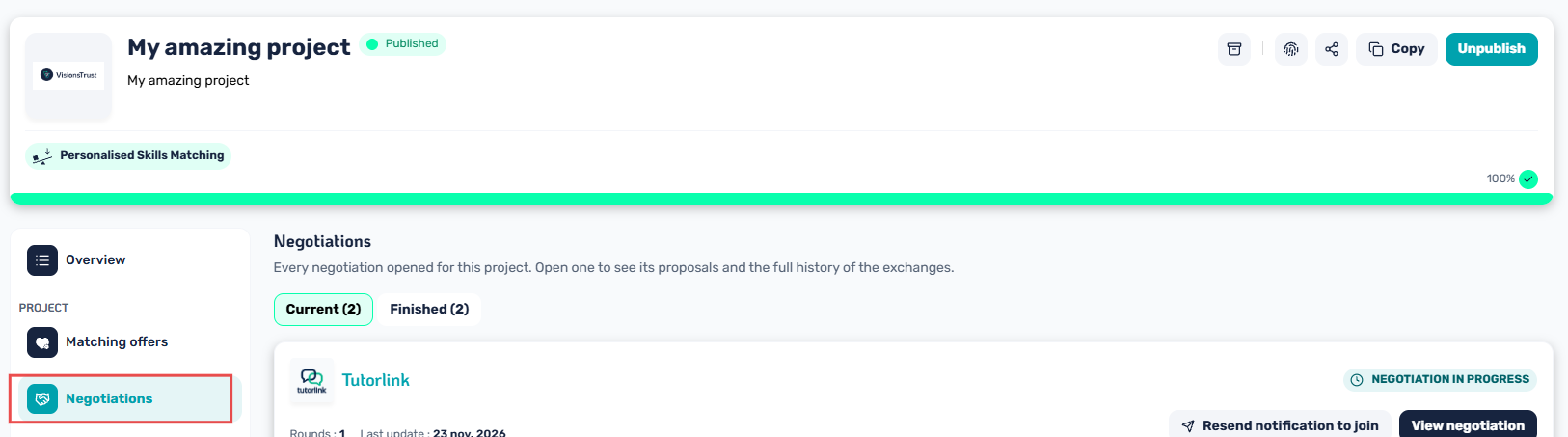
Current and finished negotiations
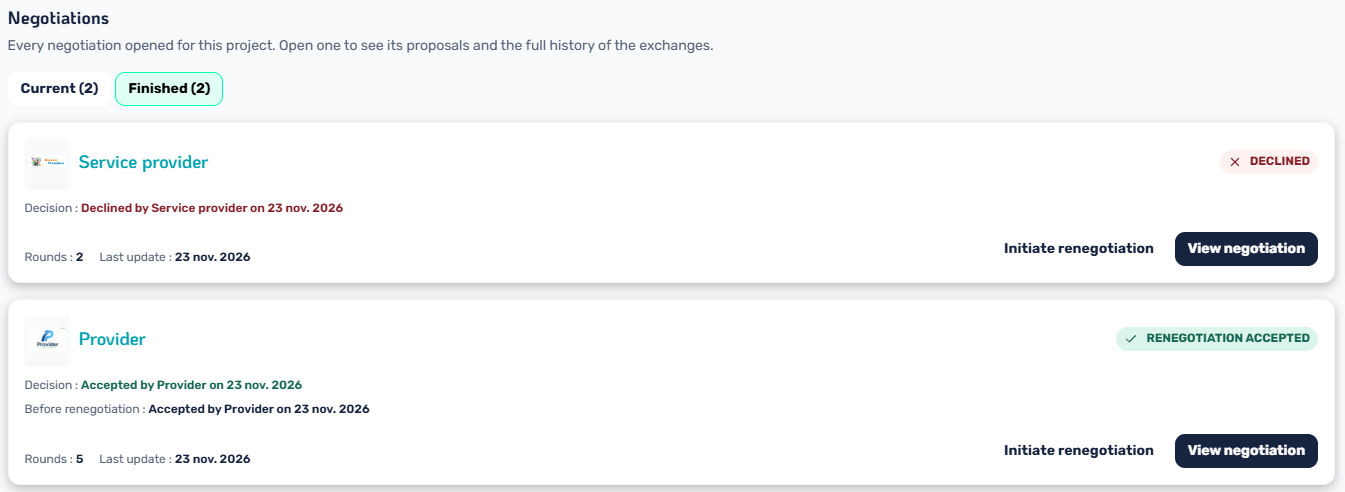
The page has two tabs, each with its number of negotiations:
- Current: the negotiations that are still in progress.
- Finished: the negotiations that have been concluded, accepted or declined.
Each negotiation is shown as a card with:
- the name of the provider, and the status of the negotiation (for example ACCEPTED)
- the decision, for example "Accepted by you on 10 nov. 2026"
- the number of rounds, and the date of the last update
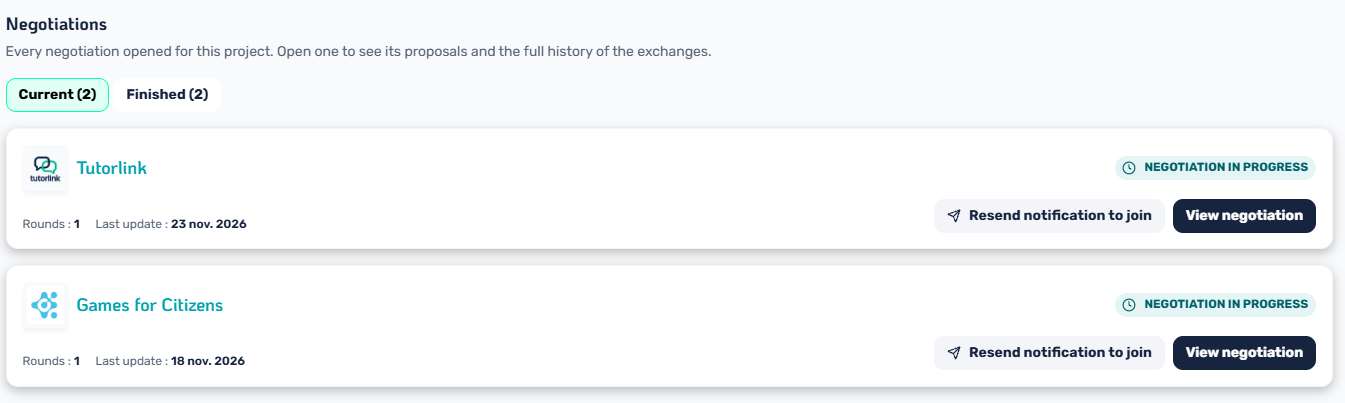
A card in the "Current" tab shows "NEGOTIATION IN PROGRESS". When a participant has not answered yet, the Resend notification to join button sends them the notification again.
Opening a negotiation
Click the View negotiation button of a card to see its proposals and the full history of the exchanges (see Review a negotiation).
Restarting a finished negotiation
In the "Finished" tab, each card also has an Initiate renegotiation button. Use it to open the negotiation again: see Restart a negotiation.